Estimated reading time: 7 minutes
Key Takeaways
- The HP ZBook Studio 16 G11 is designed for professionals needing reliable, high-performance computing.
- It features a clean design, a responsive keyboard, and a DreamColor display that’s ideal for creators.
- Powered by Intel Core Ultra processors and NVIDIA RTX graphics, it handles demanding tasks with ease.
- The laptop offers up to 64GB of RAM and multiple storage options, ensuring efficiency for large projects.
- Battery life is reasonable for light tasks, but users should keep a charger handy for heavy workloads.
Table of contents
- First impressions: clean, solid, professional
- Display quality: a dream for creators
- Performance: built for real workloads
- Memory and storage: room to grow
- Thermals and noise: controlled and reliable
- Battery life: realistic, not magical
- Ports and connectivity: practical choices
- Who is this laptop really for?
- Final thoughts
- FAQs
- How to Choose the Right HP ZBook Studio 16 G11 Configuration
If you’re the kind of person who edits videos at night, works with large 3D files, or spends hours inside CAD or design software, you already know one thing: not every powerful laptop is actually built for real work. On paper, many machines look strong. In real life, they overheat, struggle under load, or cut corners where it matters most.
The HP ZBook Studio 16 G11 is not one of those machines.
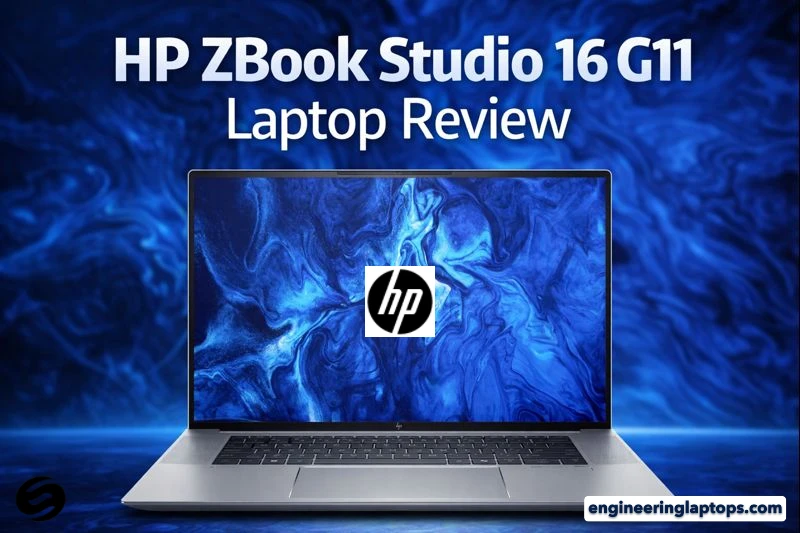
This laptop is clearly made for professionals who need serious performance but don’t want to drag around a brick. After spending time with it, it feels less like a flashy gadget and more like a reliable work partner — the kind you trust with deadlines, client projects, and long nights.
Purchase on Amazon or check availability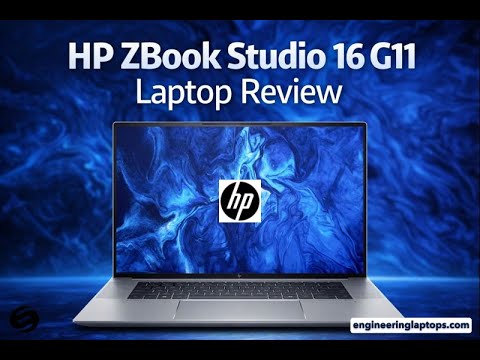
First impressions: clean, solid, professional
The design is simple and confident. No aggressive gamer lines, no unnecessary colors. Just a clean aluminum body that feels sturdy the moment you pick it up. For a 16-inch workstation-class laptop, it’s surprisingly slim and well-balanced. You can easily carry it to meetings or a studio without feeling like you’re hauling a desktop replacement.
The keyboard is comfortable and quiet, perfect for long typing sessions or coding marathons. The large trackpad is responsive and accurate, and everything feels well put together — no flex, no cheap parts.
Display quality: a dream for creators
The screen is one of the strongest reasons to choose this laptop. The 16-inch 16:10 display gives you more vertical space, which is a huge advantage when working with timelines, code, or layered designs.
If you choose the DreamColor display, you get sharp resolution, excellent brightness, and color accuracy that photographers, video editors, and designers will immediately appreciate. Colors look natural, not over-saturated, and details stay crisp even in complex scenes. Whether you’re editing photos, grading video, or working on visual effects, this screen feels trustworthy.
Performance: built for real workloads
Under the hood, the ZBook Studio 16 G11 is a serious machine. It’s powered by Intel Core Ultra processors, paired with professional-grade NVIDIA RTX graphics (depending on configuration). This combination delivers smooth performance across demanding tasks like:
- Video editing and rendering
- 3D modeling and animation
- CAD and engineering software
- Heavy multitasking with large files
Even when pushed hard, the system stays responsive. Applications open quickly, timelines stay smooth, and export times are impressively short for a laptop this size.
Memory and storage: room to grow
This laptop is clearly designed for people who work with big files. You can configure it with up to 64GB of RAM and fast NVMe SSD storage, making it easy to handle large projects without slowdowns.
Here’s a simple overview of a typical high-end configuration:
| Component | Specification |
|---|---|
| Processor | Intel Core Ultra 7 / Ultra 9 |
| Graphics | NVIDIA RTX professional series |
| Memory | Up to 64GB DDR5 |
| Storage | 1TB – 4TB NVMe SSD |
| Display | 16” 16:10 DreamColor option |
| Operating System | Windows 11 Pro |
This kind of setup is more than enough for advanced creative or technical work.
Thermals and noise: controlled and reliable
Powerful laptops often struggle with heat, but HP has done a solid job here. During heavy workloads, the fans do become noticeable — which is expected — but the heat is managed well. The laptop doesn’t feel uncomfortable, and performance remains stable even during long rendering sessions.
This balance between power and cooling makes it suitable for sustained professional use, not just short bursts.
Battery life: realistic, not magical
Let’s be honest — no high-performance workstation laptop offers amazing battery life under heavy load. The ZBook Studio 16 G11 is no exception. For everyday tasks like browsing, writing, or meetings, the battery is perfectly fine. When you switch to demanding work like rendering or 3D modeling, expect to keep the charger nearby.
This laptop is clearly designed to deliver performance first, and that’s a trade-off most professionals understand.
Ports and connectivity: practical choices
HP includes a solid selection of ports, which is refreshing in a world of dongles. Depending on the configuration, you’ll find Thunderbolt ports for fast storage and displays, USB-A for older accessories, and video outputs for external monitors. Wireless connectivity is modern and reliable, making it easy to work in both office and remote setups.
Who is this laptop really for?
The HP ZBook Studio 16 G11 is ideal if you are:
- A video editor or content creator working with high-resolution footage
- A designer or photographer who needs accurate colors
- A 3D artist or engineer using professional software daily
- A developer who wants a powerful, stable, premium machine
If your work is mostly light tasks or you’re on a tight budget, this might be more power than you need. But if your laptop is your main tool for making money, this machine makes sense.
Final thoughts
The HP ZBook Studio 16 G11 doesn’t try to impress with flashy tricks. Instead, it focuses on what really matters: performance, reliability, screen quality, and build. It feels like a laptop made by people who understand professional workflows and respect the time of those who rely on them.
It’s not cheap, and it’s not meant to be. But for professionals who want a dependable, powerful, and well-balanced mobile workstation, this is one of the strongest options available in 2026.
If your work deserves a serious machine, the ZBook Studio 16 G11 is absolutely worth considering.
FAQs
Yes, it’s a very strong laptop if you need serious performance. It’s built for people who work with demanding software like video editing, 3D design, CAD, or large creative projects. It feels fast, stable, and well put together, especially for long work sessions.
Absolutely. The ZBook lineup is known for reliability and professional-grade performance. These laptops are designed to handle heavy workloads day after day, which is why they’re popular with designers, engineers, and creative professionals.
The ZBook Studio stands out because it combines workstation-level power with a slimmer, more portable design. You get strong performance, excellent display options like DreamColor, and a solid build without carrying a bulky, heavy machine.
The HP ZBook Studio 16 G11 weighs around 4 to 4.4 pounds (approximately 1.8 to 2 kg), depending on the configuration. For a 16-inch workstation-class laptop, that’s quite reasonable and easy to carry around.
How to Choose the Right HP ZBook Studio 16 G11 Configuration
Time needed: 5 minutes
- Understand your daily workload
Think about how you actually use your laptop every day. If you edit videos, work with 3D models, or run heavy engineering software, you’ll benefit from higher RAM, a stronger GPU, and the DreamColor display. Lighter creative or office work won’t need the highest configuration.
- Pick the display and performance balance
The DreamColor screen is ideal for professionals who care about color accuracy, while standard high-resolution panels are more than enough for general creative work. Choose your processor and graphics card based on how demanding your software is, not just the highest numbers on paper.
- Plan for the future, not just today
Projects grow over time. Choosing more memory and faster storage now can save you from upgrades later. A well-configured ZBook Studio 16 G11 can comfortably serve you for years of professional work without slowing you down.
Related links